


Hey there! As a supplier of BMW handle cameras, I often get asked this question: "Can the BMW handle camera be paired with other devices?" Well, let's dig into this topic and find out.
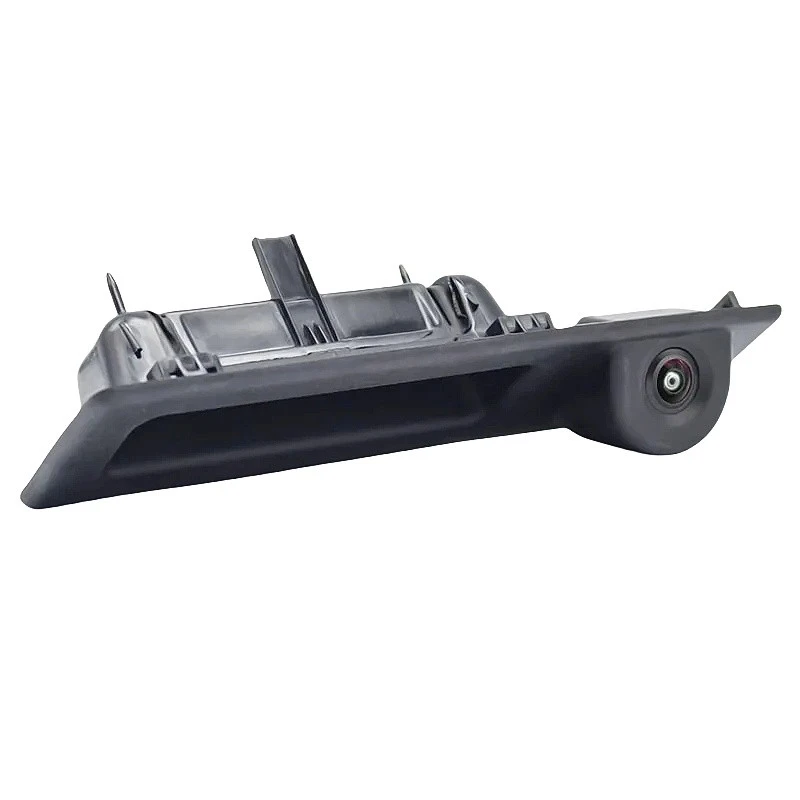
First off, let me give you a bit of background on these cool BMW handle cameras. We've got different models to fit various BMW years. For instance, we have the BMW Handle Camera (2018 - 2023 Models), the BMW Handle Camera (2008 - 2014 Models), and the BMW Handle Camera (2011 - 2017 Models). Each of these cameras is designed specifically to work well with the corresponding BMW models, offering great rear - view functionality and enhancing safety while driving.
Now, onto the main question: Can they be paired with other devices? The answer is, it depends.
Compatibility with In - Car Entertainment Systems
Many modern in - car entertainment systems are pretty versatile. If your BMW handle camera uses a standard video output, like Composite Video Broadcast Signal (CVBS) or Advanced High - Definition (AHD), there's a good chance it can be paired with some in - car entertainment systems.
For example, some aftermarket head units that support CVBS or AHD inputs can easily connect to our BMW handle cameras. You just need to make sure the wiring is correct and that the head unit can recognize the camera's signal. However, it's important to note that not all in - car entertainment systems are created equal. Some older systems might not have the necessary input ports or the software to handle the camera's video feed.
Compatibility with Mobile Devices
Pairing the BMW handle camera with mobile devices is a bit more tricky. Most of our cameras are designed to work within the car's ecosystem, and they don't have built - in Wi - Fi or Bluetooth capabilities to directly connect to a smartphone or tablet.
But there are some workarounds. You could use a video capture device that can convert the camera's output into a format that a mobile device can handle. For example, there are USB video capture cards that can take the CVBS or AHD signal from the camera and output it to a smartphone or tablet via a USB - OTG (On - The - Go) cable. However, this setup requires some technical know - how and might not be as seamless as a direct connection.
Compatibility with Recording Devices
If you want to record the video from the BMW handle camera, you can pair it with external recording devices. There are many dash cam recorders on the market that support CVBS or AHD inputs. You can connect the camera to these recorders, and they'll start recording the rear - view video. This can be useful for security purposes or if you want to keep a record of your drives.
Factors Affecting Compatibility
There are a few factors that can affect whether the BMW handle camera can be paired with other devices.
Signal Type
As mentioned earlier, the signal type (CVBS, AHD, etc.) of the camera is crucial. If the other device doesn't support the camera's signal type, then a direct connection won't work. You might need to use a signal converter, but these can add complexity and cost to the setup.
Power Requirements
The BMW handle camera gets its power from the car's electrical system. When trying to pair it with other devices, you need to make sure that the power supply is stable and that the other device can handle the camera's power consumption. If the power supply is unstable, it can lead to issues like a flickering video or the camera not working at all.

Software and Firmware
Some devices rely on software or firmware to recognize and process the camera's video feed. If the software on the other device is outdated or incompatible with the camera, you might encounter problems. You may need to update the software or firmware to get the pairing to work properly.
Tips for Pairing
If you're determined to pair the BMW handle camera with other devices, here are some tips:
- Do Your Research: Before buying any additional device, make sure it's compatible with the BMW handle camera. Check the product specifications and look for user reviews to see if others have successfully paired the devices.
- Seek Professional Help: If you're not confident in your technical skills, it's a good idea to seek help from a professional car audio or electronics installer. They have the experience and tools to make the connection properly.
- Test the Setup: Once you've made the connection, test the setup to make sure everything is working as expected. Check the video quality, the stability of the connection, and whether the device can record or display the video correctly.
In conclusion, while the BMW handle camera is primarily designed to work with BMW vehicles, it is possible to pair it with other devices under the right conditions. With a bit of research, the right equipment, and some technical know - how, you can expand the camera's functionality and get more out of it.
If you're interested in our BMW handle cameras or have any questions about compatibility and pairing, feel free to reach out. We're here to help you find the best solutions for your needs. Whether you're a car enthusiast looking to upgrade your vehicle or a professional installer, we've got the products and the expertise to assist you. Let's start a conversation and see how we can work together!
References
- General knowledge of automotive electronics and camera technology.
- Product specifications of BMW handle cameras.


