


As a supplier of Volkswagen flip logo rearview cameras, I've encountered various issues with these high - tech devices over the years. In this blog, I'll share some common problems and effective troubleshooting steps for Volkswagen flip logo rearview cameras.
1. Camera Not Turning On
One of the most frequent issues is the camera not turning on when you shift into reverse.
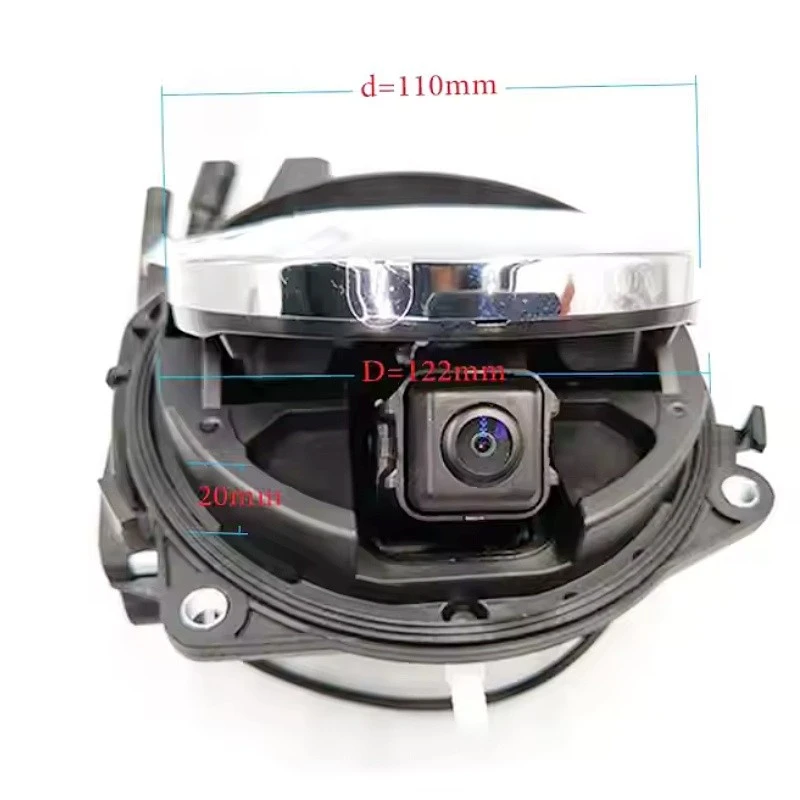

- Check the Power Connection
- First, examine the wiring harness that connects the camera to the vehicle's power supply. Over time, the wires can become loose, frayed, or damaged due to vibrations or exposure to the elements. Make sure all the connectors are firmly plugged in. If you notice any visible damage to the wires, you may need to replace the affected part of the harness.
- The fuse related to the rearview camera is another critical component. A blown fuse can cause the camera to lose power. Locate the fuse box in your Volkswagen and find the fuse for the rearview camera. Refer to your vehicle's manual for the exact location and fuse rating. If the fuse is blown, replace it with a new one of the same rating.
- Verify the Reverse Signal
- The rearview camera is designed to activate when the vehicle is shifted into reverse. A faulty reverse light switch can prevent the camera from receiving the signal to turn on. You can test the reverse light switch by checking if the reverse lights on your vehicle are working properly. If the reverse lights are not coming on, the switch may need to be replaced.
2. Poor Image Quality
A blurry, pixelated, or distorted image can make the rearview camera almost useless.
- Clean the Camera Lens
- Dirt, dust, mud, or water droplets on the camera lens can significantly degrade the image quality. Use a soft, lint - free cloth to gently wipe the lens. Avoid using abrasive materials that could scratch the lens. If there are stubborn stains, you can dampen the cloth slightly with a mild cleaning solution specifically designed for camera lenses.
- Check the Camera Settings
- Some Volkswagen flip logo rearview cameras have adjustable settings such as brightness, contrast, and color saturation. Navigate through the camera's menu (usually accessible via the vehicle's infotainment system) to adjust these settings. Make sure they are set to the optimal values for clear visibility.
- Inspect the Video Cable
- A damaged or loose video cable can also lead to poor image quality. Check the cable that connects the camera to the display unit. Look for any signs of kinking, cutting, or corrosion. If the cable is damaged, it should be replaced. You can find high - quality replacement cables for Volkswagen flip logo rearview cameras on our website, such as the Volkswagen 170 Degree 1080P Emblem - Flip Logo Backup Camera.
3. Logo Flip Mechanism Issues
The flip logo feature is one of the unique selling points of these rearview cameras, but it can also encounter problems.
- Check for Obstructions
- Debris, such as leaves, twigs, or small stones, can get stuck in the logo flip mechanism and prevent it from operating smoothly. Inspect the area around the logo and remove any visible obstructions.
- Lubricate the Moving Parts
- Over time, the moving parts of the logo flip mechanism can become dry and start to stick. Use a suitable lubricant to lubricate the hinges and other moving components. Make sure to use a lubricant that is compatible with the materials used in the mechanism.
- Test the Motor
- The motor responsible for flipping the logo can fail. If you hear unusual noises when the logo is supposed to flip or if it doesn't flip at all, the motor may be the culprit. You may need to replace the motor, which can be a more complex repair. We offer high - quality replacement motors for Volkswagen flip logo rearview cameras, and you can find more information on our Volkswagen OEM MQB Badge Flip Logo Rear View Camera page.
4. No Dynamic Trajectory Lines
Some Volkswagen flip logo rearview cameras come with dynamic trajectory lines that show the path of the vehicle when reversing. If these lines are not appearing on the screen:
- Check the Settings
- The dynamic trajectory lines can usually be enabled or disabled through the camera's settings menu. Navigate to the relevant settings in the vehicle's infotainment system and make sure the trajectory lines are turned on.
- Calibration Issues
- Incorrect calibration can cause the dynamic trajectory lines to be inaccurate or not appear at all. Some cameras require professional calibration using specialized equipment. If you suspect calibration issues, it's recommended to contact a professional technician or refer to the product documentation for calibration procedures. Our Volkswagen OEM SSP Platform Flip Badge Rear Camera with Dynamic Trajectory comes with detailed calibration instructions.
5. Compatibility Problems
If you've recently installed a new Volkswagen flip logo rearview camera and are experiencing issues, compatibility could be the root cause.
- Verify Model Compatibility
- Different Volkswagen models may require specific rearview camera models. Make sure the camera you purchased is compatible with your vehicle's make, model, and year. Check the product specifications carefully before installation.
- Software Updates
- Outdated software in the camera or the vehicle's infotainment system can cause compatibility problems. Check if there are any software updates available for your rearview camera and the vehicle's system. Follow the instructions provided by the manufacturer to install the updates.
Conclusion
Troubleshooting a Volkswagen flip logo rearview camera can be a systematic process. By following the steps outlined above, you can often identify and resolve common issues on your own. However, if you encounter persistent problems or if the repair requires specialized knowledge and tools, it's advisable to seek professional help.
As a leading supplier of Volkswagen flip logo rearview cameras, we are committed to providing high - quality products and excellent customer service. If you are facing any issues with your rearview camera or are interested in purchasing a new one, we encourage you to reach out to us for further assistance. We can offer expert advice on installation, troubleshooting, and product selection. Contact us to start a procurement discussion and find the best Volkswagen flip logo rearview camera solution for your needs.
References
- Volkswagen vehicle owner's manual
- Technical documentation for Volkswagen flip logo rearview cameras


