


Hey there! As a supplier of Lexus reversing camera decoding modules, I've seen my fair share of questions about how to check if these modules are working properly. In this blog, I'll walk you through the steps to ensure your Lexus reversing camera decoding module is in top - notch condition.
1. Visual Inspection
The first and easiest step is a visual inspection. Take a good look at the module itself. Check for any obvious signs of damage, like cracks on the casing, loose wires, or burnt components. Sometimes, physical damage can be the root cause of malfunction. If you see any visible issues, it's likely that the module needs to be replaced.
Also, examine the connections. Make sure all the cables are securely plugged in. Loose connections can lead to intermittent or no signal at all. Wiggle the cables gently while the system is on to see if the picture on the screen flickers. If it does, then you've probably found a loose connection that needs to be tightened.
2. Power Check
The next thing you want to do is to check if the module is getting power. You can use a multimeter for this. Set the multimeter to the DC voltage setting. Locate the power cable of the decoding module. Usually, it will have a positive and a negative wire. Connect the positive probe of the multimeter to the positive wire and the negative probe to the negative wire.
If the multimeter shows no voltage, then there's a problem with the power supply. It could be a blown fuse in the vehicle's electrical system, or there might be an issue with the wiring that supplies power to the module. Check the fuses related to the reversing camera system. If a fuse is blown, replace it with a new one of the same rating.
3. Signal Output Test
Once you've confirmed that the module is getting power, the next step is to check the signal output. The decoding module takes the signal from the reversing camera and processes it so that it can be displayed on the vehicle's screen.
To test the signal output, you can use a monitor that is compatible with the module. Connect the output of the decoding module to the monitor. If you see a clear and stable image on the monitor, then the module is likely working fine in terms of signal processing. However, if the image is blurry, distorted, or there's no image at all, then there's an issue with the module.
Another way to test the signal is by using an oscilloscope. An oscilloscope can show you the waveform of the signal. A normal signal will have a specific pattern. If the waveform looks abnormal, it indicates that the module is not processing the signal correctly.
4. Compatibility Check
It's crucial to ensure that the decoding module is compatible with your Lexus model. Different Lexus models may have different requirements in terms of signal processing and display. Make sure you've installed the right module for your vehicle.
If you're not sure about the compatibility, you can refer to the product manual or contact the manufacturer. Using an incompatible module can lead to all sorts of problems, including no display or incorrect image orientation.
5. Software Update
Some modern decoding modules come with software that can be updated. Outdated software can cause issues with the module's performance. Check if there are any software updates available for your module.
To update the software, you'll usually need to download the update file from the manufacturer's website. Then, follow the instructions provided to install the update on the module. This can often fix minor glitches and improve the overall performance of the module.
6. Comparison with Known - Working Modules
If you have access to another Lexus reversing camera decoding module that is known to be working, you can swap them out. Install the known - working module in your vehicle and see if the problem persists.
If the problem goes away when you install the working module, then it's clear that the original module is faulty. On the other hand, if the problem still exists, then the issue might be with other components in the system, such as the camera or the display screen.
Other Related Products
We also offer a range of other reversing camera decoder modules and backup cameras for different car brands. For example, we have the Audi/Bentley 3G MMI Reverse Camera Decoder Module (2012 - 2015 Full Compatibility), which is designed to work seamlessly with Audi and Bentley models from 2012 - 2015.
Another great product is the Volvo Full - Range 7 - Inch Reverse Camera Decoder Module (2015 - 2017 Model Compatibility). This module is specifically tailored for Volvo models from 2015 - 2017, ensuring a perfect fit and optimal performance.
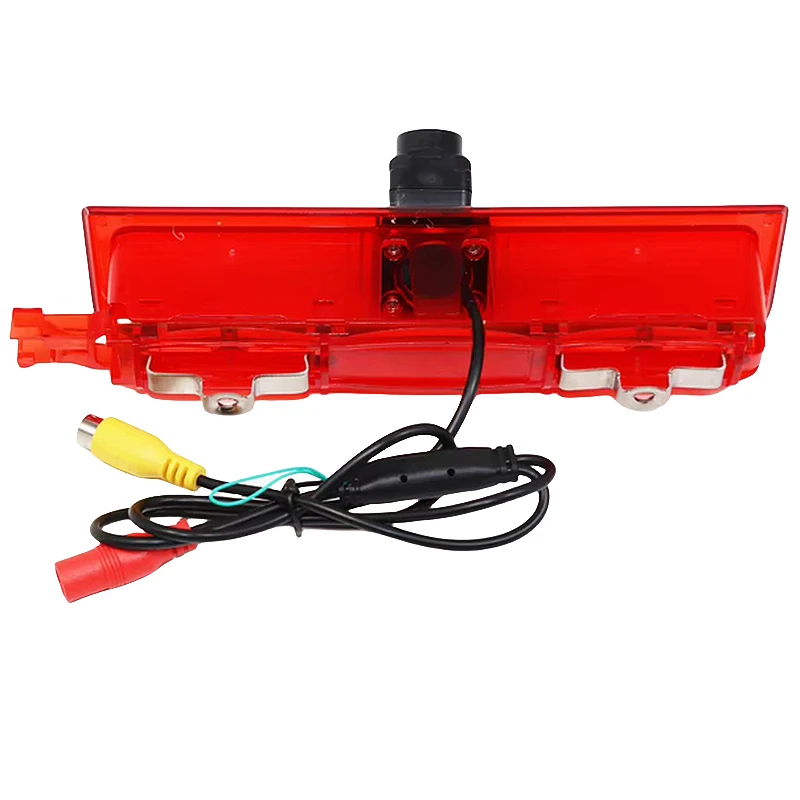
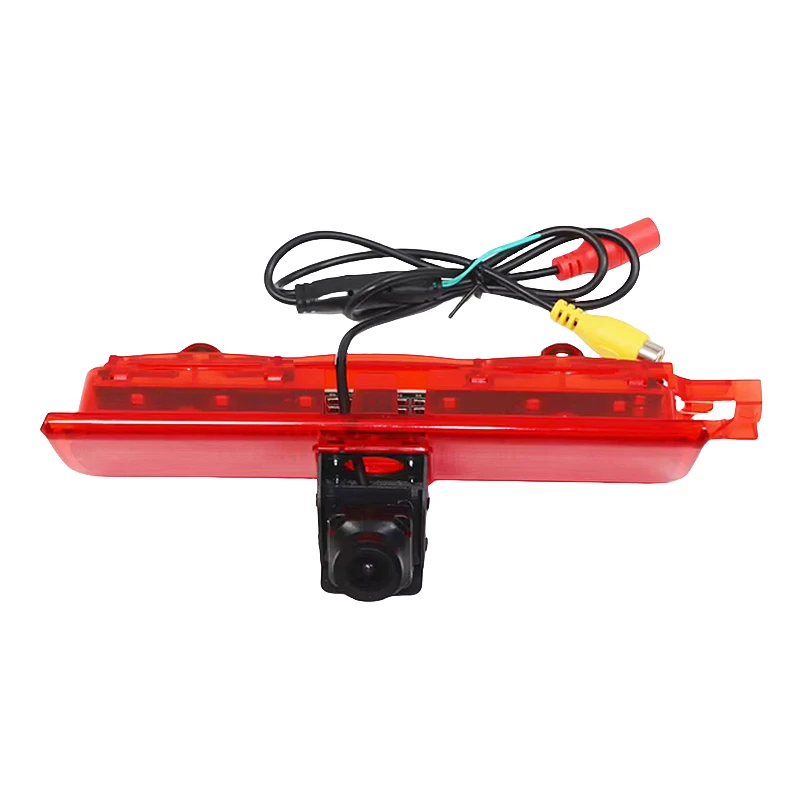
And if you're looking for a backup camera, our Volkswagen Caddy High - Mount Brake Light Backup Camera is a great option. It provides a clear view of what's behind your vehicle and is easy to install.
Conclusion
Checking if your Lexus reversing camera decoding module is working properly involves a series of steps, from visual inspection to signal testing. By following these steps, you can diagnose and fix most issues related to the module.
If you're still having trouble with your module or if you're interested in purchasing a new one, don't hesitate to reach out. We're here to help you find the right solution for your vehicle. Whether you need a replacement module or want to upgrade to a better - performing one, we've got you covered.
References
- Automotive Electronics Handbook
- Lexus Vehicle Electrical System Manual


