


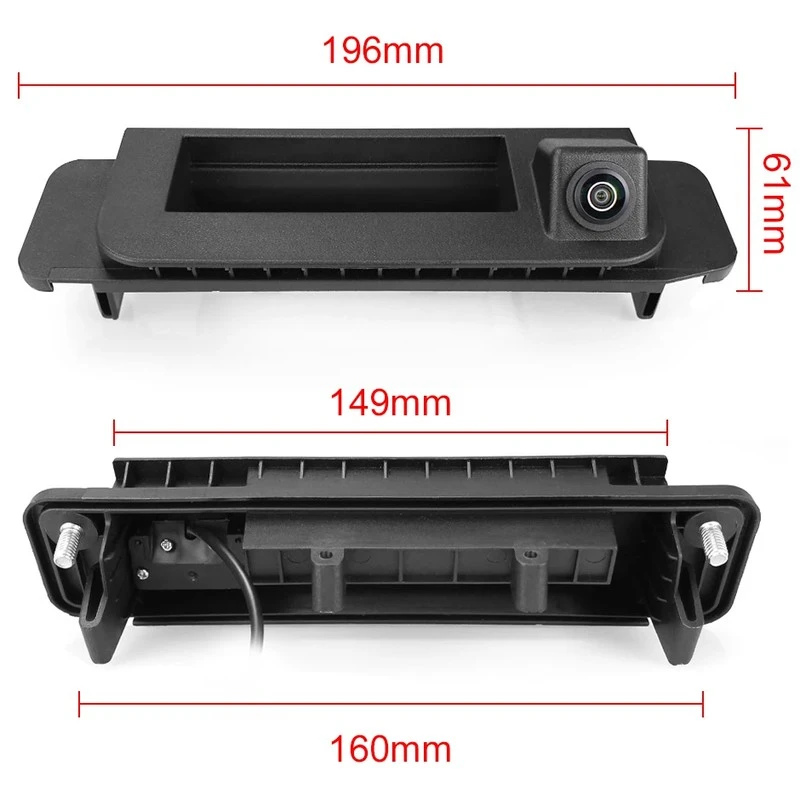
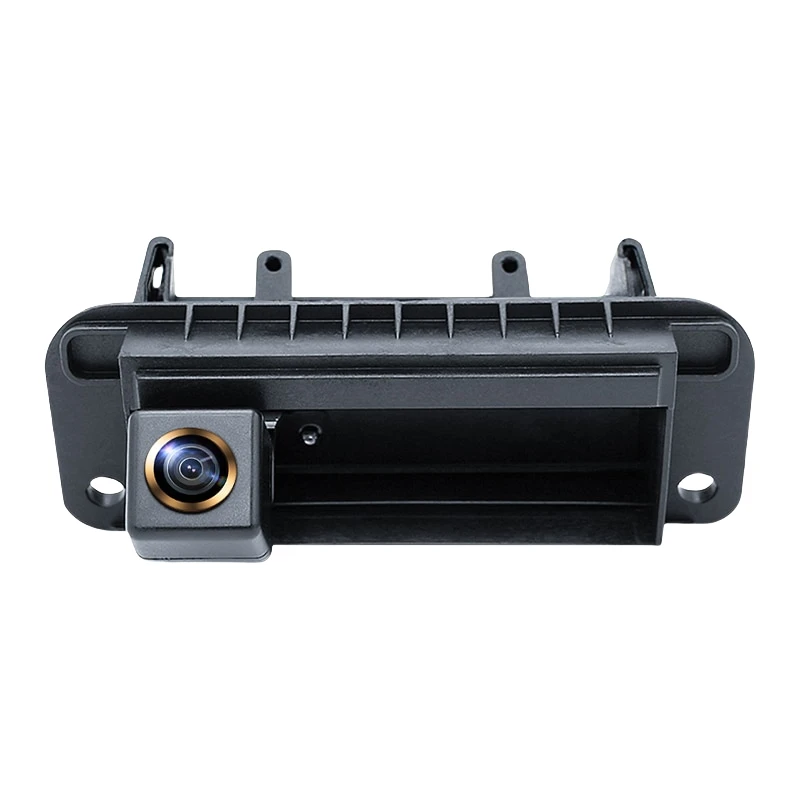
As a supplier of Mercedes - Benz OEM handle cameras, ensuring that these cameras work properly is of utmost importance. Not only does it guarantee the safety and convenience of Mercedes - Benz owners, but it also reflects the quality of our products. In this blog, I'll share some methods on how to check if the Mercedes - Benz OEM handle camera is working properly.
1. Visual Inspection
The first step in checking the camera's functionality is a simple visual inspection. This can help you identify any obvious physical damages that might affect the camera's performance.
- Examine the Camera Body: Look closely at the camera housing for any cracks, scratches, or signs of impact. A damaged housing can let in moisture or dust, which may cause internal damage to the camera components. If you find any visible damage, it's likely that the camera will not work correctly, and you may need to replace it.
- Check the Wiring: Inspect the cables connecting the camera to the vehicle's electrical system. Loose, frayed, or broken wires can disrupt the power supply and the transmission of video signals. Make sure all connections are secure and that there are no signs of corrosion on the connectors.
- Verify the Mounting: Ensure that the camera is properly mounted on the handle. A loose or misaligned camera may not capture the correct field of view. The camera should be firmly attached and oriented in the right direction as specified for the particular Mercedes - Benz model.
2. Power Supply Check
Without a proper power supply, the camera will not function. Here's how you can check if the camera is getting power.
- Use a Multimeter: Set your multimeter to the DC voltage setting. Connect the positive lead to the power wire of the camera and the negative lead to a good ground point in the vehicle. The voltage reading should match the specifications provided by the camera manufacturer. If there is no voltage or the reading is significantly lower than expected, there may be an issue with the power source or the wiring.
- Check the Fuse: Locate the fuse related to the camera in the vehicle's fuse box. A blown fuse can cut off the power supply to the camera. If the fuse is blown, replace it with a new one of the same amperage rating. However, if the new fuse blows again immediately, there may be a short - circuit in the camera or the wiring.
3. Video Signal Check
Once you've confirmed that the camera is getting power, the next step is to check if it's sending a proper video signal.
- Connect to a Monitor: If possible, connect the camera to a compatible monitor using the appropriate cables. Turn on the power and check if the monitor displays a clear image. The image should be sharp, with accurate colors and no significant distortion. If the screen is blank or shows a distorted image, there may be a problem with the camera's image sensor or the video transmission.
- Check in the Vehicle's System: In most Mercedes - Benz models, the camera feed is displayed on the in - vehicle infotainment system. Put the vehicle in reverse gear and see if the camera image appears on the screen. If the screen remains black, there could be an issue with the camera, the wiring, or the vehicle's infotainment system. You may need to use diagnostic tools to troubleshoot further.
4. Image Quality Assessment
A high - quality image is essential for the camera to be useful. Here are some aspects to consider when assessing the image quality.
- Sharpness: The image should be sharp and clear, allowing you to easily distinguish objects in the camera's field of view. If the image is blurry, it could be due to a dirty lens, a misaligned lens, or a problem with the camera's focusing mechanism. Clean the lens gently with a soft, lint - free cloth and see if the sharpness improves.
- Color Accuracy: The colors in the image should be accurate and natural. If the colors appear washed out, too saturated, or have a color cast, there may be an issue with the camera's color calibration or the image sensor.
- Field of View: The camera should cover the expected area behind the vehicle. Check if the field of view is wide enough and if there are any blind spots. If the field of view is too narrow or misaligned, it may not provide sufficient information for safe reversing.
5. Testing in Different Conditions
To ensure the camera works reliably in all situations, it's important to test it in different environmental conditions.
- Daytime Testing: During the day, the camera should provide a clear and well - lit image. Check for any glare or overexposure in bright sunlight. If the image is too bright or washed out, the camera's exposure control may not be working correctly.
- Night - time Testing: At night, the camera should be able to capture a usable image with sufficient visibility. Look for any issues such as poor low - light performance, excessive noise in the image, or problems with the camera's infrared illumination (if equipped).
- Wet Conditions: If possible, test the camera in wet conditions to ensure it is waterproof. A waterproof camera should continue to work properly even when it's raining or the vehicle is washed. Check for any signs of water ingress or fogging inside the camera housing.
Product Recommendations
We offer a wide range of Mercedes - Benz OEM handle cameras for different models. For example, if you own a 2016 - 2020 Mercedes - Benz B - Class or E - Class, our 2016 - 2020 Mercedes - Benz B - Class/E - Class Reverse Camera is a perfect fit. It is designed to provide high - quality images and reliable performance.
For 2015 - 2021 Mercedes - Benz C - Class or CLA models, our 2015 - 2021 Mercedes - Benz C - Class/CLA Factory Screen Reverse Camera offers seamless integration with the vehicle's factory screen.
And for 2012 - 2013 W204 Mercedes - Benz C200 with screen upgrade needs, our 2012 - 2013 W204 Mercedes - Benz C200 Screen Upgrade Reverse Camera is the ideal choice.
Conclusion
Checking if a Mercedes - Benz OEM handle camera is working properly involves a series of steps, from visual inspection to power supply and video signal checks. By following these methods, you can ensure that the camera provides accurate and reliable information for safe driving. If you have any questions about our products or need further assistance with camera testing, feel free to contact us. We are always ready to help you with your Mercedes - Benz OEM handle camera needs. Whether you are a car dealer, a repair shop, or an individual customer, we welcome you to reach out for procurement and negotiation.
References
- Mercedes - Benz official technical manuals
- Camera manufacturer's product documentation


