


As a supplier of the BMW NBT System Backup Decoder Module, I understand the importance of maintaining the optimal performance of this crucial component. Over time, the decoder module can accumulate dust, debris, and even electrical interference, which may lead to malfunctions or reduced efficiency. In this blog post, I will share a comprehensive guide on how to clean the BMW NBT System Backup Decoder Module effectively.
Why Cleaning is Necessary
Before delving into the cleaning process, it's essential to understand why cleaning the decoder module is necessary. The BMW NBT System Backup Decoder Module is responsible for decoding and processing various signals related to the vehicle's multimedia, navigation, and backup camera systems. Dust and debris can accumulate on the module's circuit boards and components, causing overheating and electrical shorts. Additionally, electrical interference can disrupt the signal transmission, leading to poor image quality on the backup camera or even system failures.
Tools and Materials Required
To clean the BMW NBT System Backup Decoder Module, you will need the following tools and materials:
- Anti-static wrist strap: This helps prevent static electricity from damaging the sensitive electronic components of the module.
- Screwdriver set: You will need a set of screwdrivers to remove the module from the vehicle.
- Compressed air canister: This is used to blow away dust and debris from the module.
- Isopropyl alcohol: A high - purity isopropyl alcohol (at least 90%) is used to clean the circuit boards and components.
- Lint - free cloths: These are used to apply the alcohol and wipe the module clean.
Step - by - Step Cleaning Process
Step 1: Safety First
Before starting the cleaning process, ensure that the vehicle's ignition is turned off, and the battery is disconnected. This will prevent any electrical shocks or damage to the module. Put on the anti - static wrist strap to avoid static discharge.
Step 2: Locate and Remove the Decoder Module
The BMW NBT System Backup Decoder Module is usually located in the vehicle's trunk or under the dashboard. Refer to the vehicle's service manual to find the exact location. Use the appropriate screwdriver to remove the screws holding the module in place. Carefully disconnect the electrical connectors from the module.
Step 3: Initial Dust Removal
Once the module is removed, use the compressed air canister to blow away any loose dust and debris from the module's exterior. Hold the canister at a distance of about 6 - 8 inches from the module and use short, controlled bursts of air. Pay special attention to the ventilation holes and the areas around the connectors.
Step 4: Cleaning the Circuit Boards
Dampen a lint - free cloth with isopropyl alcohol. Gently wipe the circuit boards and components of the decoder module. Be careful not to apply too much pressure, as this could damage the delicate components. Focus on areas where dust and grime are visible, such as around the solder joints and the edges of the circuit boards.
Step 5: Drying the Module
After cleaning, allow the module to dry completely. You can use a clean, dry lint - free cloth to gently pat the module dry. Avoid using heat sources such as hair dryers, as excessive heat can damage the components.
Step 6: Reinstall the Module
Once the module is dry, carefully reconnect the electrical connectors. Make sure they are securely plugged in. Then, use the screwdriver to reinstall the module in its original location.
Additional Tips and Considerations
- Regular Maintenance: It's a good idea to clean the BMW NBT System Backup Decoder Module at least once a year or more frequently if you drive in dusty or dirty environments.
- Inspection: While cleaning, inspect the module for any signs of damage, such as cracked circuit boards or loose components. If you notice any damage, it's best to consult a professional technician.
- Compatibility: Ensure that the cleaning materials and tools you use are compatible with the decoder module. Using the wrong materials can cause damage.
Related Products
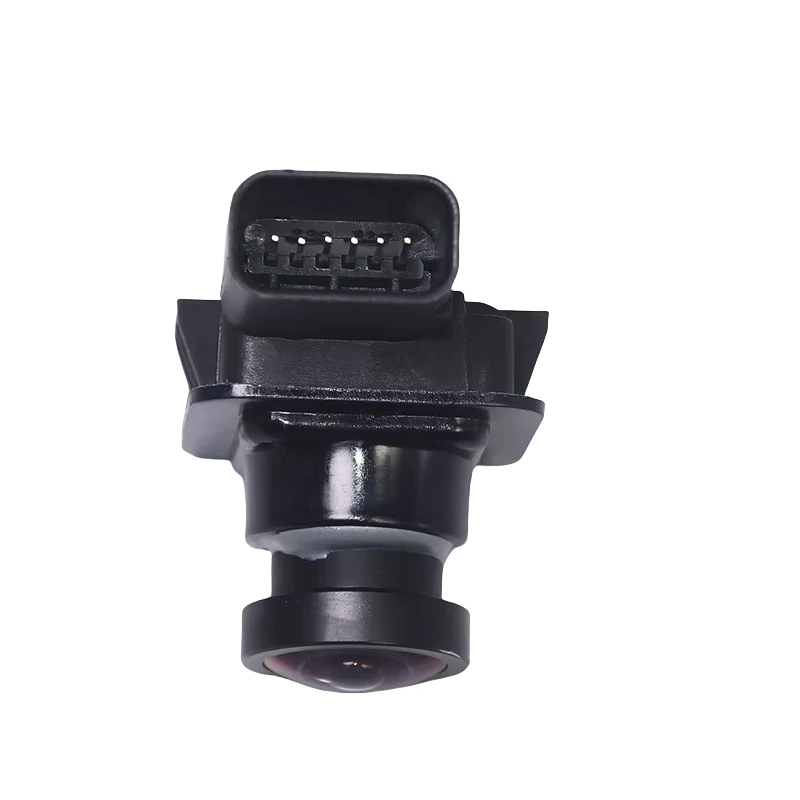
In addition to the BMW NBT System Backup Decoder Module, we also offer a range of other high - quality automotive products. For example, our Land Rover/Jaguar Full - Range LVDS Dual - Screen Reverse Camera Decoder Module (2018 - 2024 Full Compatibility) is designed to provide clear and reliable reverse camera images for Land Rover and Jaguar vehicles. We also have OEM backup cameras for Ford models, such as the Ford Explorer (Part No. EB5Z19G490) 2013 - 2015 OEM Backup Camera and the Ford Mondeo (Part No. ES7Z19G490) 2013 - 2018 OEM Backup Camera.
Contact for Purchase and Negotiation
If you are interested in our BMW NBT System Backup Decoder Module or any of our other products, we encourage you to reach out to us for further details and to discuss potential purchasing opportunities. Our team of experts is ready to assist you with any questions you may have regarding product specifications, installation, or pricing.
References
- BMW Service Manual
- Automotive Electronics Cleaning Guide


