


Hey there! If you're renting a Volkswagen and thinking about installing a reversing camera on the VW handle, you've come to the right place. I'm a supplier of Volkswagen VW handle reversing cameras, and I'm here to walk you through the whole installation process.
Why Install a Reversing Camera in a Rental Car?
First off, you might be wondering why you'd want to install a reversing camera in a rental car. Well, it's all about safety and convenience. Reversing can be a tricky business, especially in a car you're not familiar with. A reversing camera gives you a clear view of what's behind you, helping you avoid collisions with other cars, pedestrians, or objects. It's a great way to make your rental experience a whole lot smoother and stress - free.
Types of Volkswagen VW Handle Reversing Cameras
We offer three main types of Volkswagen VW handle reversing cameras:
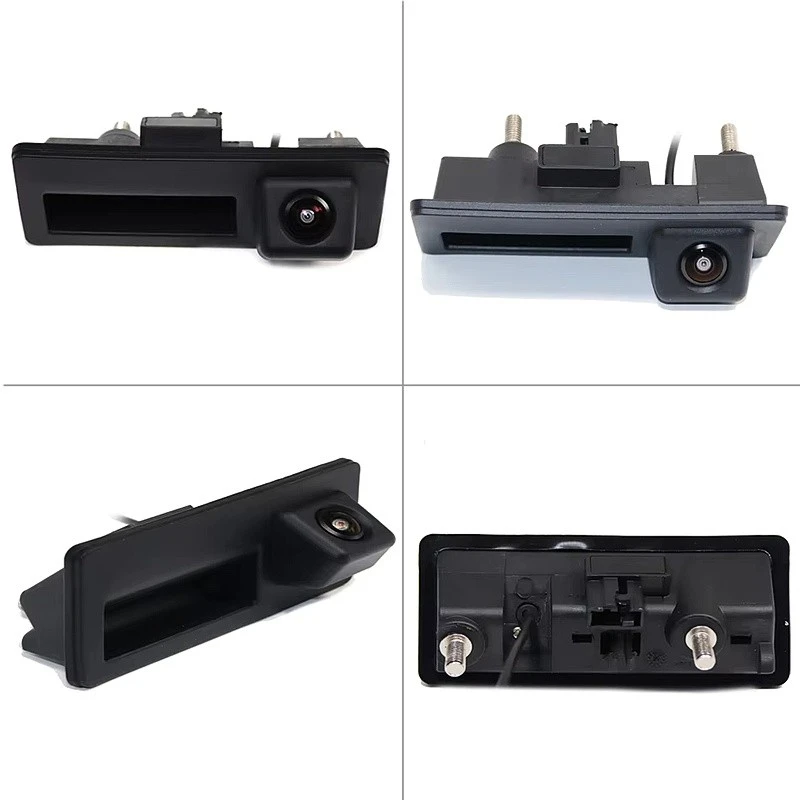
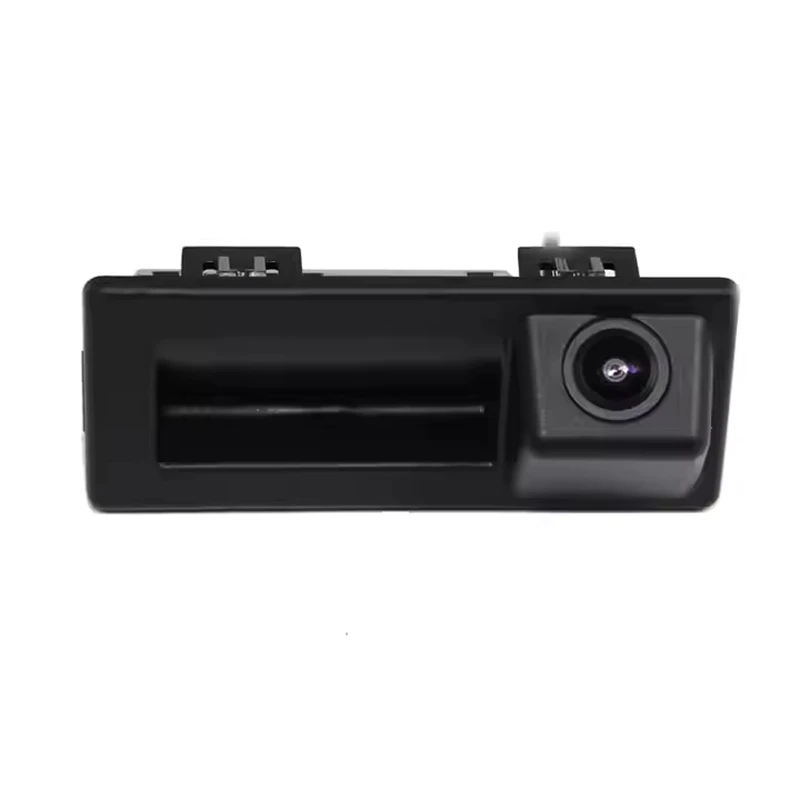
-
Volkswagen & Audi Compact Handle Camera (OEM - Spec Design): This camera is sleek and compact, designed to blend in seamlessly with your VW's handle. It offers a high - quality view and is perfect for those who want a discreet yet effective solution.
-
Volkswagen & Audi Large Handle Camera (OEM - Spec Design): If you need a wider field of view, the large handle camera is the way to go. It's still designed to match your VW's aesthetics but provides a broader perspective of what's behind the car.
-
Volkswagen & Audi OEM Handle Camera (Legacy Rear Studded Version): This is a classic option with a rear - studded design. It's a reliable choice that has been trusted by many VW owners over the years.
Tools You'll Need
Before you start the installation process, make sure you have the following tools on hand:
- Screwdriver set: You'll need different sizes of screwdrivers to remove and install parts of the VW handle.
- Wire strippers: These are essential for connecting the camera wires to the car's electrical system.
- Electrical tape: To secure and insulate the wire connections.
- Drill (optional): In some cases, you might need to drill small holes for the camera mounting.
Step - by - Step Installation Guide
Step 1: Prepare the Car
Park the rental car in a safe and well - lit area. Make sure the engine is turned off and the keys are removed from the ignition. This is a crucial safety step to avoid any electrical mishaps.
Step 2: Remove the VW Handle Trim
Use the appropriate screwdriver to carefully remove the screws holding the handle trim in place. Place the screws in a safe place so you don't lose them. Gently pry off the trim using a flat - head screwdriver or a plastic trim removal tool. Be careful not to scratch the car's paint.
Step 3: Mount the Camera
Depending on the type of camera you've chosen, follow the manufacturer's instructions for mounting. For most VW handle cameras, you'll need to align the camera with the designated mounting holes on the handle. If there are no pre - drilled holes, you might need to use the drill to create them. Make sure the camera is securely attached and facing in the right direction.
Step 4: Connect the Wires
This is the most technical part of the installation. First, identify the power wires in the car's electrical system that are activated when the car is in reverse. Use the wire strippers to expose a small section of the wire. Then, connect the camera's power wire to the corresponding wire in the car. Make sure the connection is tight and use electrical tape to insulate it.
Next, connect the video output wire of the camera to the car's display system. This might require some additional adapters depending on the car's setup. If you're not sure how to do this, it's a good idea to consult the camera's user manual or seek professional help.
Step 5: Test the Camera
Once all the wires are connected, turn on the car and put it in reverse. Check if the camera is working properly and if the image on the display is clear. If there are any issues, double - check the wire connections and make sure the camera is mounted correctly.
Step 6: Reinstall the Handle Trim
After you've confirmed that the camera is working, carefully reinstall the handle trim. Make sure all the clips are properly aligned and the screws are tightened.
Things to Keep in Mind
- Rental Agreement: Before installing the camera, check your rental agreement. Some rental companies might have restrictions on modifying the car. If that's the case, you'll need to get permission from the rental company first.
- Warranty: Installing a third - party camera might void the car's warranty. However, our cameras are designed to be as non - invasive as possible, and in most cases, they won't cause any problems. But it's still a good idea to check with the rental company.
Contact Us for Purchase and Consultation
If you're interested in purchasing one of our Volkswagen VW handle reversing cameras, or if you have any questions about the installation process, don't hesitate to reach out. We're here to help you make the right choice and ensure a smooth installation. Whether you need more information about the different camera models or advice on compatibility with your rental car, we've got you covered.
References
- Volkswagen Owner's Manual
- Reversing Camera Installation Guides provided by the manufacturer


