


In the realm of automotive technology, the BMW NBT System Backup Decoder Module stands as a crucial component, facilitating seamless integration and enhanced functionality within BMW vehicles. As a dedicated supplier of this module, I've witnessed firsthand the transformative impact it can have on the driving experience. However, to fully unlock its potential, optimizing its performance is essential. In this blog post, I'll share some insights and strategies on how to achieve just that.
Understanding the BMW NBT System Backup Decoder Module
Before delving into optimization techniques, it's important to have a clear understanding of what the BMW NBT System Backup Decoder Module does. This module plays a pivotal role in decoding and processing data from various sources, such as backup cameras, ensuring that the information is accurately displayed on the vehicle's infotainment system. It acts as a bridge between the camera and the display, translating the raw data into a format that can be easily interpreted by the driver.
Regular Software Updates
One of the most effective ways to optimize the performance of the BMW NBT System Backup Decoder Module is to ensure that it is running the latest software version. Software updates often include bug fixes, performance enhancements, and new features that can significantly improve the module's functionality. As a supplier, we strive to provide our customers with timely software updates to keep their modules up-to-date.
To check for software updates, you can visit the official BMW website or consult your vehicle's user manual. In some cases, the updates can be downloaded and installed directly through the vehicle's infotainment system. It's important to follow the instructions carefully and ensure that the update process is completed successfully.
Proper Installation and Wiring
Another crucial factor in optimizing the performance of the BMW NBT System Backup Decoder Module is proper installation and wiring. Incorrect installation or faulty wiring can lead to a variety of issues, such as poor image quality, intermittent connectivity, or even module failure. As a supplier, we provide detailed installation instructions and support to ensure that our customers install the module correctly.
When installing the module, it's important to follow the manufacturer's guidelines and use the recommended tools and materials. Make sure that the module is securely mounted and that all the connections are tight and free of corrosion. Additionally, it's important to use high-quality wiring and connectors to minimize signal interference and ensure reliable performance.
Environmental Considerations
The performance of the BMW NBT System Backup Decoder Module can also be affected by the environment in which it operates. Extreme temperatures, humidity, and vibration can all have a negative impact on the module's performance. To ensure optimal performance, it's important to protect the module from these environmental factors.
If the vehicle is exposed to extreme temperatures, it's recommended to park it in a shaded area or use a sunshade to reduce the temperature inside the vehicle. Additionally, it's important to keep the module dry and free of moisture. If the vehicle is driven in a dusty or dirty environment, it's recommended to clean the module regularly to prevent dust and debris from accumulating.
Compatibility with Other Components
The BMW NBT System Backup Decoder Module is designed to work seamlessly with other components in the vehicle's infotainment system. However, compatibility issues can sometimes arise, especially when using aftermarket components or making modifications to the vehicle. To ensure optimal performance, it's important to ensure that the module is compatible with all the other components in the system.
Before purchasing the BMW NBT System Backup Decoder Module, it's recommended to check the compatibility list provided by the manufacturer. This will help you determine if the module is compatible with your vehicle's make, model, and year. Additionally, it's important to ensure that the module is compatible with any other aftermarket components that you plan to install, such as a backup camera or a navigation system.
Testing and Troubleshooting
Regular testing and troubleshooting are essential to ensure that the BMW NBT System Backup Decoder Module is performing optimally. As a supplier, we provide our customers with testing tools and support to help them diagnose and resolve any issues that may arise.
To test the module, you can use a diagnostic tool or consult the vehicle's user manual. This will help you determine if the module is functioning properly and if there are any error codes or warnings. If you encounter any issues, it's important to troubleshoot the problem systematically and follow the recommended troubleshooting steps.
Additional Considerations
In addition to the above strategies, there are a few other things that you can do to optimize the performance of the BMW NBT System Backup Decoder Module. For example, you can use a high-quality backup camera to ensure clear and sharp images. Additionally, you can adjust the camera's settings, such as the angle and focus, to optimize the viewing experience.
Another thing to consider is the use of a signal booster or amplifier. This can help to improve the signal strength and quality, especially if the camera is located far away from the module or if there is a lot of interference. However, it's important to ensure that the signal booster or amplifier is compatible with the module and that it is installed correctly.
Related Products
As a supplier of the BMW NBT System Backup Decoder Module, we also offer a range of related products that can enhance the functionality and performance of your vehicle's backup camera system. For example, we offer the BMW CCC System & Rolls-Royce Phantom Reverse Camera Decoder Module (2005-2009 Full Compatibility), which is specifically designed for BMW CCC systems and Rolls-Royce Phantom vehicles from 2005 to 2009. This module provides high-quality image decoding and processing, ensuring that the backup camera images are clear and accurate.
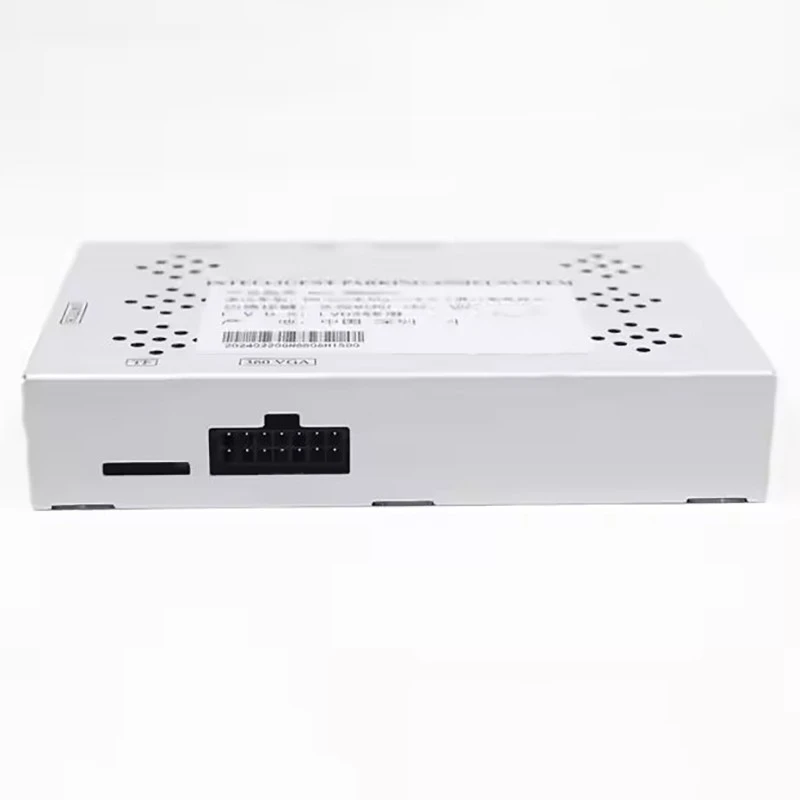
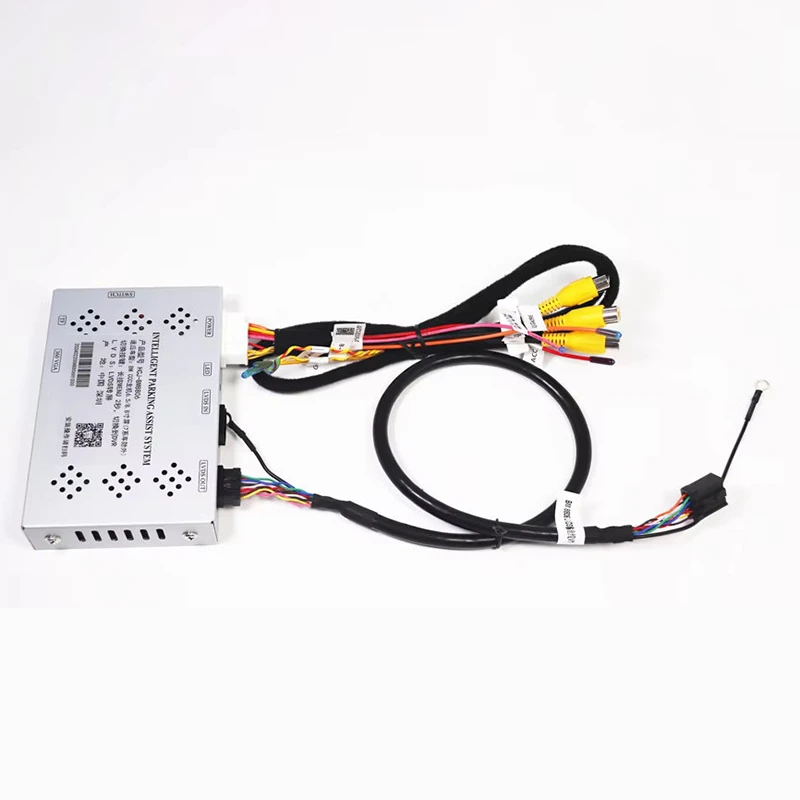
We also offer the BMW EVO System Reverse Camera Decoder Module (Full 2017-2019 Model Compatibility), which is compatible with BMW EVO systems from 2017 to 2019. This module features advanced decoding technology and high-speed data processing, providing a seamless and reliable backup camera experience.
Finally, we offer the BMW MGU System Reverse Camera Decoder Module (Full 2019-2024 Model Compatibility), which is designed for BMW MGU systems from 2019 to 2024. This module offers enhanced performance and compatibility, ensuring that the backup camera images are displayed with exceptional clarity and detail.
Contact Us for Purchasing and Consultation
If you're interested in optimizing the performance of your BMW NBT System Backup Decoder Module or exploring our range of related products, we'd love to hear from you. Our team of experts is available to provide you with more information, answer your questions, and assist you with your purchasing decisions. Please feel free to contact us for further details and to start a discussion about your specific needs.
References
- BMW NBT System Backup Decoder Module User Manual
- BMW Official Website
- Automotive Technology Publications


