


Hey there, fellow car enthusiasts! As a supplier of Audi reversing camera decoding modules, I'm super stoked to share with you how to test these nifty little devices. Whether you're a DIY mechanic or just curious about how things work, this guide is gonna be your go-to resource.
First off, let's understand what an Audi reversing camera decoding module does. In a nutshell, it's the brains behind your reversing camera system. It takes the raw video signal from the camera and decodes it so that it can be displayed properly on your car's infotainment screen. This ensures that you get a clear and accurate view of what's behind your Audi when you're backing up, which is crucial for safety.
Now, let's dive into the testing process. Before you start, make sure you have the right tools on hand. You'll need a multimeter, a power supply, and a compatible display screen. You might also want to have a wiring diagram of your Audi's reversing camera system handy, just in case.
Step 1: Check the Physical Condition
The first thing you should do is give the decoding module a visual inspection. Look for any signs of physical damage, such as cracks, burns, or loose connections. If you notice any of these issues, it's likely that the module is faulty and needs to be replaced. You can check out our Audi/Porsche/Bentley MIB Reverse Camera Decoder Module (Full 2017 - 2018 Model Compatibility) for a high - quality replacement option.
Step 2: Power Supply Testing
Next, you need to test the power supply to the decoding module. Use your multimeter to check the voltage at the power input pins of the module. The voltage should match the specifications of your Audi's electrical system. Usually, it's around 12 volts. If the voltage is too low or too high, there could be an issue with the power supply or the wiring.
Connect the power supply to the module and make sure it powers on. If the module doesn't power on, check the fuse in the power circuit. A blown fuse can prevent the module from getting power.
Step 3: Signal Input Testing
Once the module is powered on, it's time to test the video signal input. Connect the camera to the decoding module using the appropriate cables. Then, use your multimeter to check the signal strength at the input pins of the module. You should see a stable and consistent signal.
If the signal is weak or inconsistent, there could be a problem with the camera or the wiring between the camera and the module. Try replacing the camera or checking the wiring for any breaks or shorts. For Audi A4L/A5/Q5 models, our Audi A4L/A5/Q5 2G MMI Reverse Camera Decoder Module (6.5" Non - Nav Screen Compatibility) is a great option to ensure proper signal decoding.
Step 4: Display Output Testing
After testing the input signal, it's time to check the output. Connect the decoding module to a compatible display screen. When you put your car in reverse, you should see a clear and sharp image on the screen. If the image is distorted, blurry, or has color issues, there could be a problem with the decoding process.
You can try adjusting the settings on the module to see if that fixes the issue. Some modules have adjustable parameters such as brightness, contrast, and color saturation. If the problem persists, it might be that the module itself is faulty.
Step 5: Compatibility Testing
It's also important to test the compatibility of the decoding module with your Audi's specific model and year. Some modules are designed to work with certain generations of Audi's MMI system. For example, our Audi Full - Range 3G MMI Reverse Camera Decoder Module (2009 - 2017 Model Compatibility) is specifically tailored for Audi models from 2009 to 2017.
Make sure you choose the right module for your car to avoid compatibility issues. If you're not sure which module is right for you, feel free to reach out to us for assistance.
Step 6: Functional Testing
Finally, you need to perform some functional tests. Back your car up and see how the reversing camera system behaves in real - world conditions. Check if the guidelines on the screen are accurate and if the image updates in real - time.
Try different lighting conditions, such as daytime and nighttime, to see if the system works well in all situations. If you notice any problems during these tests, it's a sign that the module might need further adjustment or replacement.
Troubleshooting Tips
If you encounter any issues during the testing process, here are some troubleshooting tips:
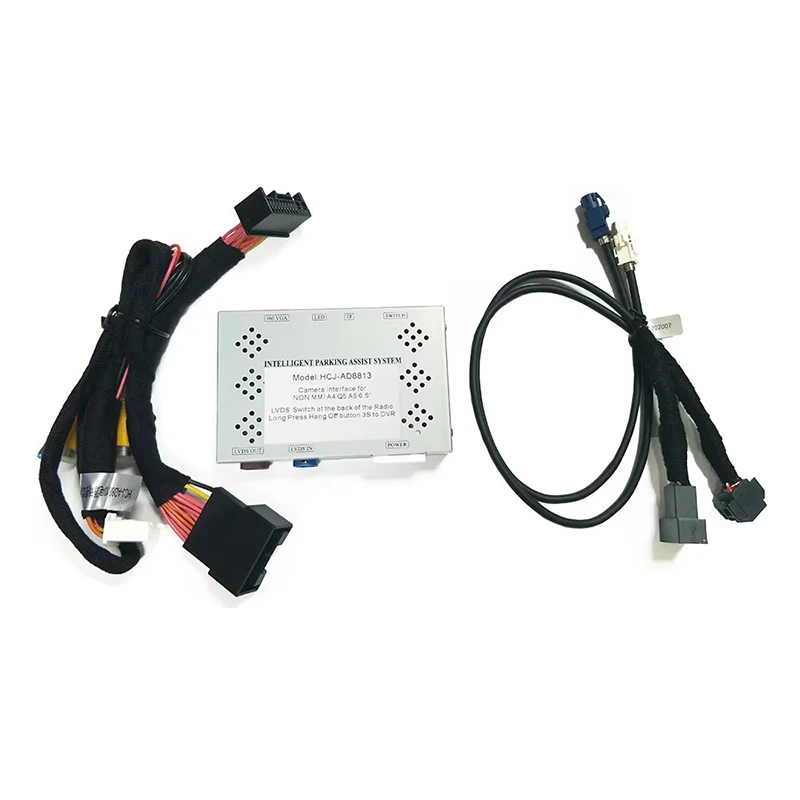
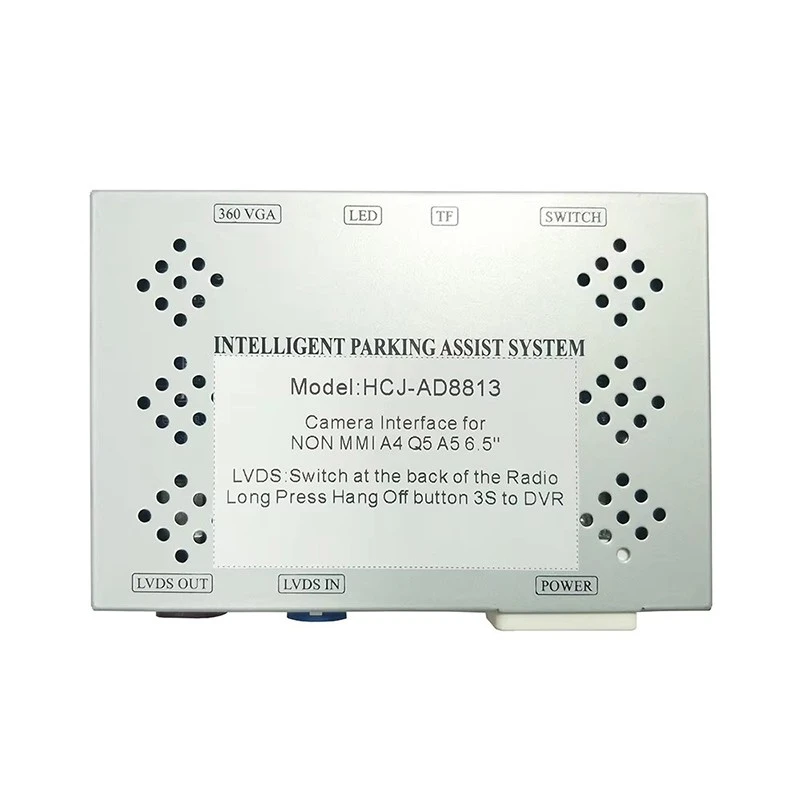
- No Image on the Screen: Check the power supply, the video cables, and the display screen. Make sure all connections are secure.
- Distorted Image: Try adjusting the module's settings or replacing the camera.
- Inaccurate Guidelines: This could be due to a calibration issue. Some modules can be calibrated to ensure accurate guidelines.
In conclusion, testing an Audi reversing camera decoding module is not as complicated as it might seem. By following these steps, you can diagnose any problems with the module and ensure that your reversing camera system is working properly.
If you're in the market for a new Audi reversing camera decoding module or need more information about our products, don't hesitate to get in touch. We're here to help you find the perfect solution for your Audi. Whether you're looking for a module for a specific model or a full - range option, we've got you covered.
References
- Audi official service manuals
- Technical documentation of Audi reversing camera systems


