


As a supplier of the BMW CIC System Backup Camera Decoding Module, I'm often asked about the installation steps of this product. In this blog post, I'll walk you through the process in detail, ensuring that you can install the module with confidence and enjoy the enhanced safety and convenience it offers.
Step 1: Gather the Necessary Tools and Materials
Before you begin the installation, it's essential to gather all the tools and materials you'll need. Here's a list of what you should have on hand:
- BMW CIC System Backup Camera Decoding Module
- Backup camera (compatible with the BMW CIC system)
- Wiring harness
- Screwdrivers (various sizes)
- Trim removal tools
- Electrical tape
- Zip ties
- Multimeter (optional but recommended for testing electrical connections)
Step 2: Prepare Your Vehicle
Park your BMW in a safe and well-lit area. Make sure the engine is turned off, and the ignition key is removed. Engage the parking brake to prevent the vehicle from rolling. It's also a good idea to disconnect the negative terminal of the battery to avoid any electrical shorts during the installation process.
Step 3: Locate the BMW CIC System
The BMW CIC (Car Infotainment Computer) system is typically located in the center console of the vehicle. You'll need to remove the center console trim to access the system. Use the trim removal tools to carefully pry off the trim pieces, starting from the edges. Be gentle to avoid damaging the trim or the console.
Once the trim is removed, you'll see the BMW CIC unit. Locate the wiring harness connectors on the back of the unit. These connectors are used to connect the decoding module to the CIC system.
Step 4: Connect the Decoding Module to the CIC System
Take the wiring harness that came with the decoding module and connect it to the appropriate connectors on the back of the BMW CIC unit. Make sure the connectors are properly aligned and securely plugged in. You may need to refer to the installation manual that came with the decoding module for specific instructions on which connectors to use.
After connecting the wiring harness, use the electrical tape to secure the connections and prevent them from coming loose. You can also use zip ties to organize the wiring and keep it tidy.
Step 5: Install the Backup Camera
The next step is to install the backup camera. Choose a suitable location for the camera, typically at the rear of the vehicle. The most common location is above the license plate. Use the provided mounting brackets and screws to attach the camera to the vehicle.
Once the camera is mounted, run the camera wiring through the vehicle's body. You can use existing wiring channels or create new ones using the zip ties. Make sure the wiring is hidden and protected to prevent damage.
Connect the camera wiring to the decoding module using the appropriate connectors on the wiring harness. Again, refer to the installation manual for specific instructions.
Step 6: Test the System
Before reassembling the center console trim, it's important to test the system to ensure that everything is working correctly. Reconnect the negative terminal of the battery and turn on the ignition. Put the vehicle in reverse gear and check if the backup camera image appears on the BMW CIC system display.
If the image doesn't appear, use the multimeter to check the electrical connections and ensure that there is power to the camera and the decoding module. You may also need to check the camera settings on the BMW CIC system to make sure it's configured correctly.
Step 7: Reassemble the Center Console Trim
Once you've confirmed that the system is working correctly, carefully reassemble the center console trim. Make sure all the trim pieces are properly aligned and snapped into place. Use the screwdrivers to tighten any screws that were removed during the disassembly process.
Step 8: Final Checks
After reassembling the center console trim, take the vehicle for a short test drive to make sure the backup camera system is functioning properly. Check the image quality, clarity, and the accuracy of the parking guidelines (if available).
If you encounter any issues or have any questions during the installation process, don't hesitate to contact our technical support team. We're here to help you ensure a successful installation.
Additional Information
In addition to the BMW CIC System Backup Camera Decoding Module, we also offer other decoding modules for different BMW systems, such as the BMW NBT System Backup Decoder Module, BMW CCC System & Rolls-Royce Phantom Reverse Camera Decoder Module (2005 - 2009 Full Compatibility), and BMW MGU System Reverse Camera Decoder Module (Full 2019 - 2024 Model Compatibility). These modules are designed to provide seamless integration with your BMW's existing infotainment system, allowing you to enjoy the benefits of a backup camera without any compatibility issues.
Conclusion
Installing the BMW CIC System Backup Camera Decoding Module is a relatively straightforward process that can be completed with basic tools and some mechanical knowledge. By following the steps outlined in this blog post, you can enhance the safety and convenience of your BMW by adding a backup camera system.

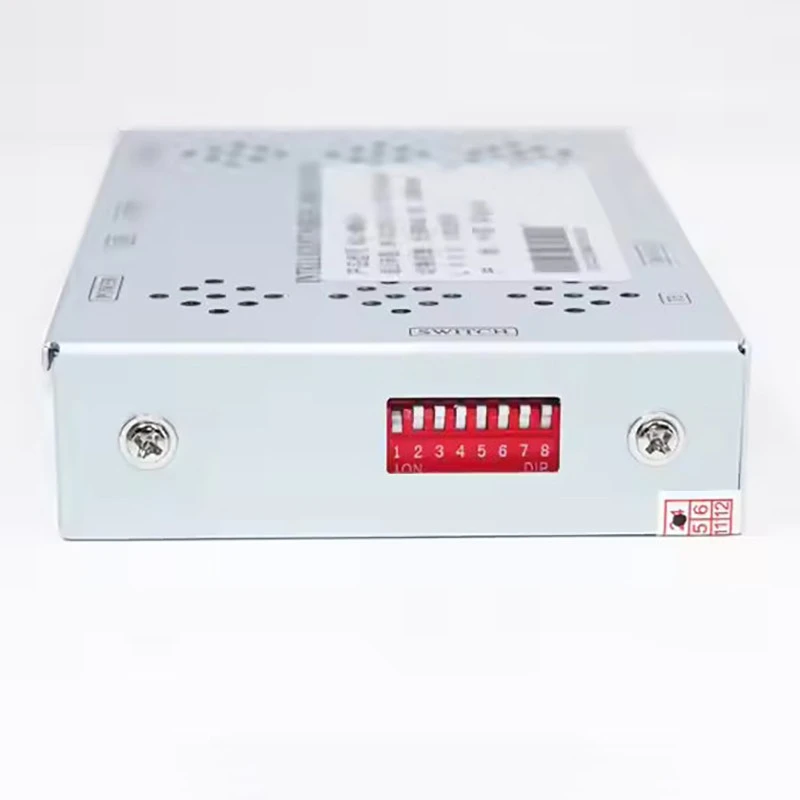
If you're interested in purchasing the BMW CIC System Backup Camera Decoding Module or any of our other products, please contact us to discuss your specific requirements and to get a quote. Our team of experts is always available to assist you with any questions or concerns you may have.
References
- BMW CIC System Backup Camera Decoding Module Installation Manual
- BMW Vehicle Owner's Manual


