


Hey there! As a supplier of the Ford Transit High - Mount Brake Light Camera, I often get asked a bunch of questions. One of the most common ones is, "Can the Ford Transit High - Mount Brake Light Camera be connected to a smartphone?" Well, let's dig into this topic and find out.
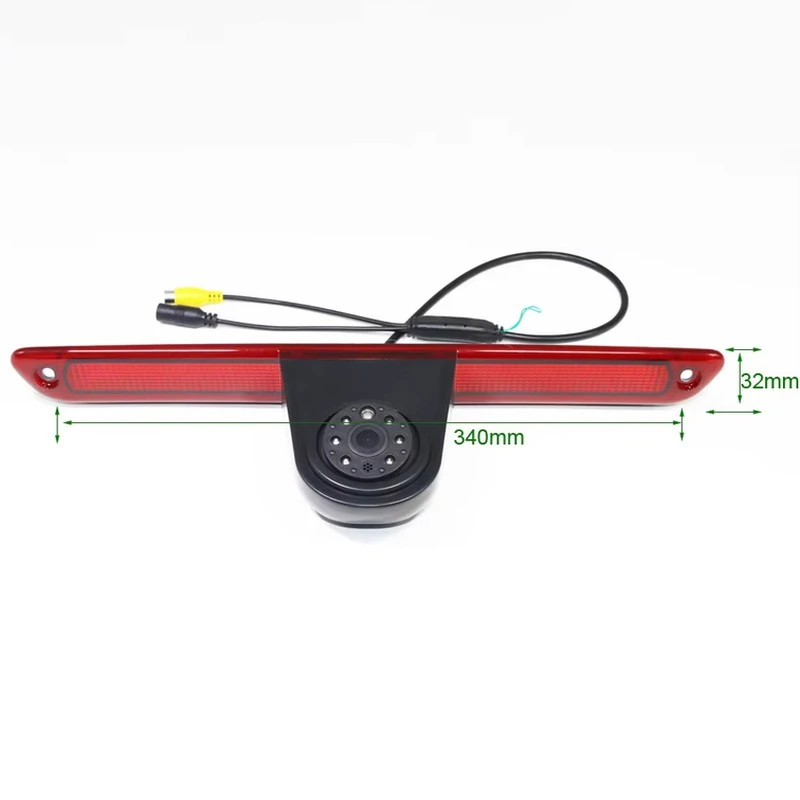
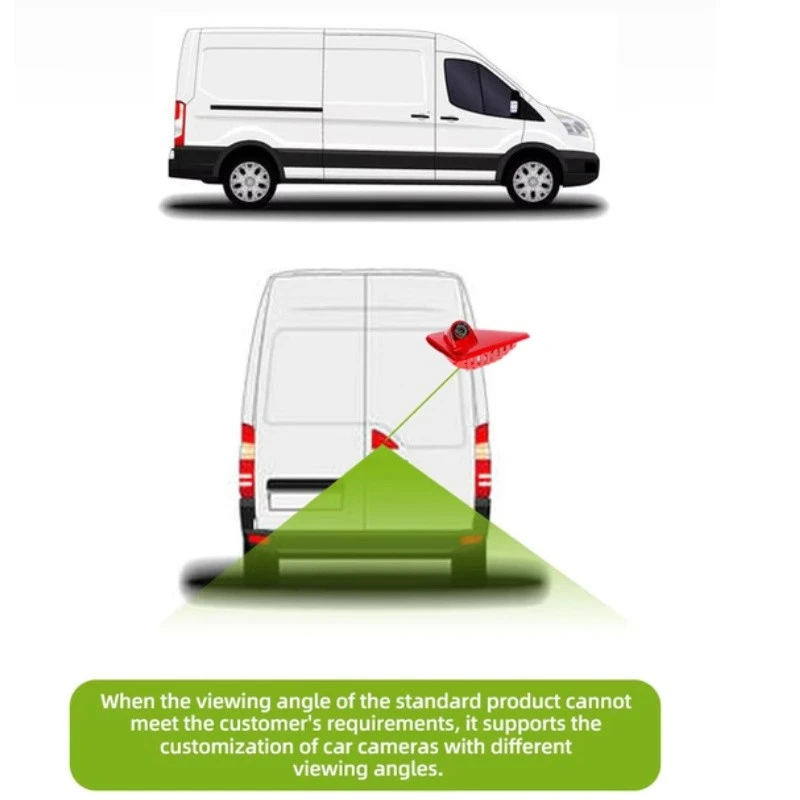
First off, let's talk a bit about what the Ford Transit High - Mount Brake Light Camera is. It's a nifty piece of tech that's installed right in the high - mount brake light of your Ford Transit. This camera is super useful as it gives you a clear view of what's going on behind your vehicle, which is a huge help when you're reversing, parking, or just need to keep an eye on your surroundings.
Now, onto the big question: can it be connected to a smartphone? The short answer is, it depends. There are a few factors that come into play here.
Compatibility
The first thing you need to check is the compatibility of the camera with your smartphone. Not all cameras are designed to work with every type of smartphone. Most modern cameras support both Android and iOS devices, but it's always a good idea to double - check the product specifications. Our Ford Transit High - Mount Brake Light Camera is engineered to be highly compatible with a wide range of smartphones. We've done our best to make sure that whether you're an Android fan or an iOS user, you can potentially connect the camera to your phone.
Connectivity Options
There are mainly two ways a camera can connect to a smartphone: Wi - Fi and Bluetooth.
Wi - Fi Connection
A Wi - Fi connection is a popular choice because it usually offers a stable and fast connection. When you connect your camera to your smartphone via Wi - Fi, you can stream the camera's video feed directly to your phone. This means you can see what the camera sees right on your phone's screen. To set up a Wi - Fi connection, you'll typically need to follow these steps:
- Power on the camera and wait for it to boot up.
- On your smartphone, go to the Wi - Fi settings and look for the camera's Wi - Fi network. It'll usually have a name related to the camera model.
- Enter the password (if required) to connect to the network.
- Open the camera's dedicated app on your phone. The app will then establish a connection with the camera, and you'll be able to view the video feed.
Our Ford Transit High - Mount Brake Light Camera comes with a user - friendly app that makes this process a breeze. Once you're connected, you can adjust settings like brightness, contrast, and even take screenshots of the video feed.
Bluetooth Connection
Bluetooth is another option for connecting the camera to your smartphone. Bluetooth connections are generally easier to set up than Wi - Fi connections, but they usually have a shorter range. To connect via Bluetooth, you'll need to:
- Turn on the Bluetooth function on your smartphone.
- Put the camera in pairing mode. This is usually done by pressing a specific button on the camera or through a menu option.
- On your phone, search for available Bluetooth devices and select the camera from the list.
- Follow the on - screen prompts to complete the pairing process.
However, it's important to note that Bluetooth may not be as reliable as Wi - Fi for streaming high - quality video. You might experience some lag or a lower - quality video feed compared to a Wi - Fi connection.
Benefits of Connecting to a Smartphone
If you manage to connect the Ford Transit High - Mount Brake Light Camera to your smartphone, there are several benefits.
Convenience
Having the camera's video feed on your smartphone means you don't need to install an additional monitor in your vehicle. You can use your phone, which you probably already carry with you all the time. This is especially useful if you're using your Ford Transit for different purposes and don't want to clutter your dashboard with extra equipment.
Remote Monitoring
With a smartphone connection, you can monitor your vehicle even when you're not inside it. For example, if you're parked in a crowded area and want to keep an eye on your vehicle, you can open the camera app on your phone and check the surroundings.
Other High - Mount Brake Light Cameras in Our Range
We're not just limited to the Ford Transit High - Mount Brake Light Camera. We also offer a variety of high - mount brake light cameras for other brands. Check out these awesome products:
- Multi - Brand High - Mount Brake Light Camera for Renault/Opel/Nissan: This camera is designed to fit multiple brands, giving you more flexibility.
- Volkswagen High - Mount Stop Lamp Integrated Backup Camera for MQB/MEB Platforms (2020 - 2024): Specifically tailored for Volkswagen vehicles on the MQB/MEB platforms from 2020 - 2024.
- Mercedes Sprinter Vito High - Mount Brake Light Camera: A great option for Mercedes Sprinter Vito owners.
Contact Us for Purchasing
If you're interested in our Ford Transit High - Mount Brake Light Camera or any of our other products, don't hesitate to reach out. We're here to answer all your questions and help you make the right choice for your vehicle. Whether you're a fleet manager, a commercial driver, or just someone who wants to enhance the safety of their Ford Transit, we've got you covered.
References
- Camera product manuals
- Smartphone operating system documentation


