


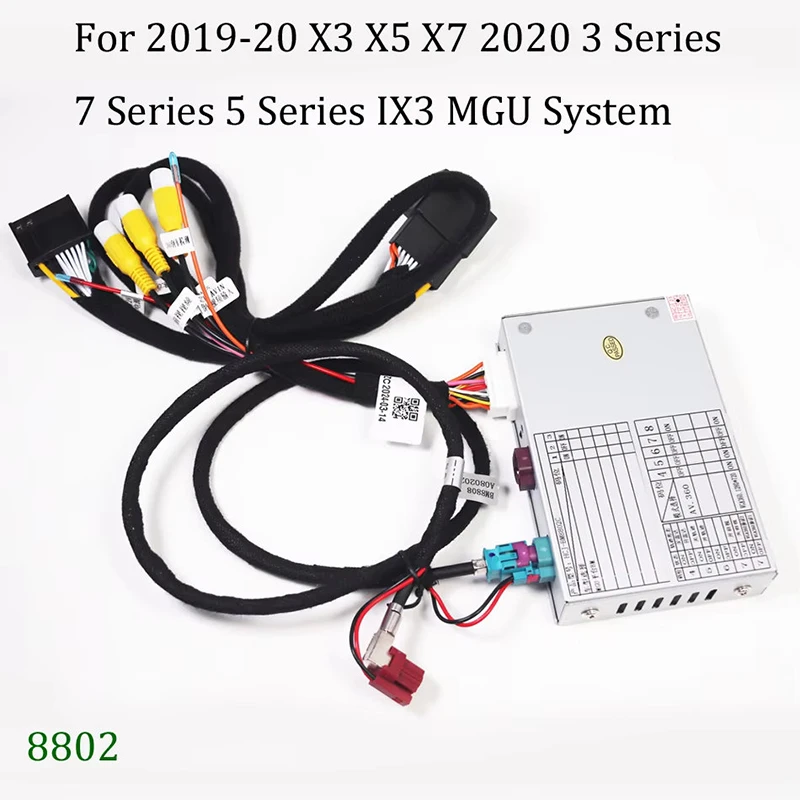
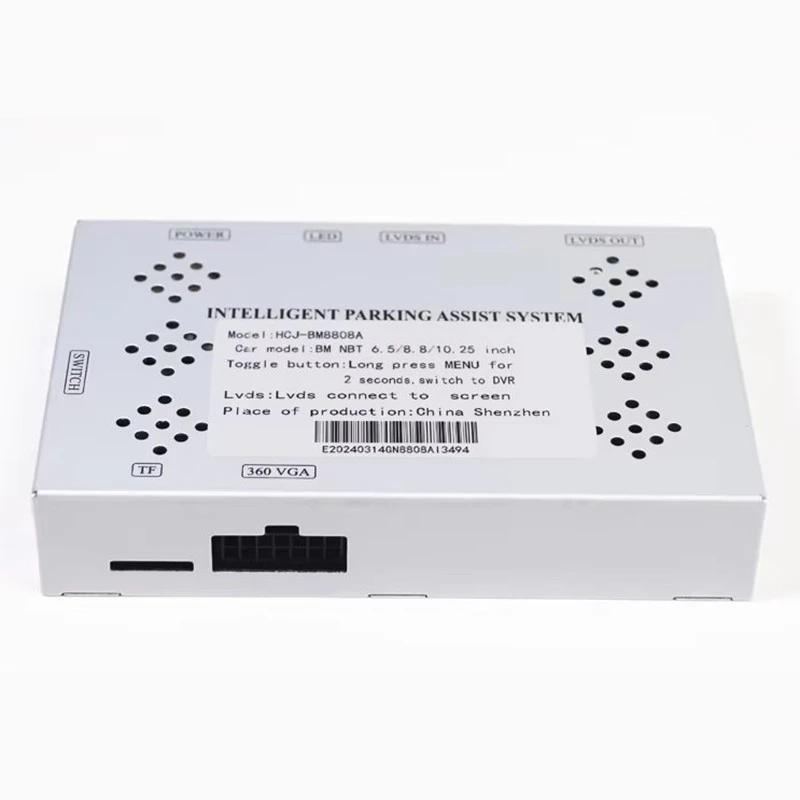
As a supplier of the BMW NBT System Backup Decoder Module, I understand the importance of properly adjusting the settings of this crucial component. In this blog post, I'll guide you through the process of adjusting the settings of the BMW NBT System Backup Decoder Module, ensuring optimal performance and compatibility with your vehicle.
Understanding the BMW NBT System Backup Decoder Module
The BMW NBT System Backup Decoder Module is an essential part of the BMW's in - car entertainment and safety system. It plays a vital role in decoding the signals from the backup camera, allowing the driver to have a clear view of what's behind the vehicle when reversing. This module is designed to work seamlessly with the NBT system, which is known for its advanced features and high - end user experience.
Pre - adjustment Preparations
Before you start adjusting the settings of the BMW NBT System Backup Decoder Module, there are a few preparations you need to make:
- Safety First: Ensure that your vehicle is parked in a safe and flat area. Turn off the engine and engage the parking brake. This will prevent any accidental movement of the vehicle during the adjustment process.
- Gather Tools: You may need a basic set of tools such as a screwdriver (if you need to access the module physically). Also, make sure you have a clean cloth to wipe any dust or debris from the module or the camera.
- Refer to the Manual: The vehicle's user manual is a valuable resource. It contains detailed information about the NBT system and the backup decoder module. Look for sections related to the backup camera and its settings.
Step - by - Step Adjustment Process
Step 1: Access the Settings Menu
- Start your vehicle and turn on the ignition. Wait for the NBT system to boot up. This usually takes a few seconds.
- On the NBT system's display, look for the settings icon. It is typically represented by a gear or a wrench symbol. Tap on this icon to open the settings menu.
Step 2: Navigate to the Backup Camera Settings
- Once in the settings menu, scroll through the options to find the "Camera" or "Backup Camera" section. This may vary depending on the specific version of the NBT system in your vehicle.
- In this section, you will find various settings related to the backup camera, including those controlled by the decoder module.
Step 3: Image Calibration
- Horizontal and Vertical Alignment: The first setting you may want to adjust is the horizontal and vertical alignment of the camera image. This ensures that the view on the display is straight and level. Use the arrow keys on the NBT system's control panel to move the image up, down, left, or right until it is properly aligned.
- Distortion Correction: Some cameras may produce a distorted image. The decoder module can correct this. Look for the "Distortion Correction" option in the settings. You can adjust the sliders to reduce or eliminate any barrel or pincushion distortion in the image.
Step 4: Color and Brightness Adjustment
- Color Temperature: Adjusting the color temperature can make the image appear more natural. Increase the temperature for a warmer tone or decrease it for a cooler tone. This can be especially useful in different lighting conditions.
- Brightness and Contrast: Use the brightness and contrast sliders to ensure that the image is neither too dark nor too bright. A well - adjusted image will provide better visibility, especially in low - light situations.
Step 5: Grid Line Settings
- Many backup cameras come with grid lines on the display to help the driver judge distances. You can adjust the position and visibility of these grid lines. Look for the "Grid Lines" option in the settings. You can choose to turn the grid lines on or off, and adjust their color and thickness if available.
Step 6: Save the Settings
- After you have made all the necessary adjustments, look for the "Save" or "Apply" button in the settings menu. Tap on it to save the new settings. The decoder module will then use these settings every time the backup camera is activated.
Compatibility with Other BMW Modules
The BMW NBT System Backup Decoder Module is designed to be compatible with other important modules in the vehicle. For example, the BMW MGU System Reverse Camera Decoder Module (Full 2019 - 2024 Model Compatibility) and the BMW CCC System & Rolls - Royce Phantom Reverse Camera Decoder Module (2005 - 2009 Full Compatibility). When adjusting the settings of the NBT system backup decoder module, it's important to ensure that it works well with these other modules.
- Communication Protocols: The decoder module uses specific communication protocols to interact with other modules. Make sure that these protocols are set correctly in the NBT system settings. Incorrect settings can lead to communication errors and a malfunctioning backup camera system.
- Software Updates: Regularly check for software updates for the NBT system and the decoder module. These updates can improve compatibility with other modules and add new features or bug fixes.
Troubleshooting Common Issues
Even after proper adjustment, you may encounter some issues with the BMW NBT System Backup Decoder Module. Here are some common problems and their solutions:
- No Image on the Display:
- Check the camera connection. Make sure that the camera is properly plugged into the decoder module and that there are no loose wires.
- The decoder module may need a reset. You can do this by disconnecting the battery for a few minutes and then reconnecting it.
- Fuzzy or Blurry Image:
- Clean the camera lens with a soft, clean cloth. Dust and dirt can cause the image to appear blurry.
- Check the image settings again. You may need to adjust the focus, brightness, or contrast settings.
Importance of Professional Installation and Adjustment
While it is possible to adjust the settings of the BMW NBT System Backup Decoder Module on your own, professional installation and adjustment have several advantages:
- Expertise: Professional technicians have in - depth knowledge of the BMW NBT system and the decoder module. They can ensure that the module is installed correctly and that the settings are adjusted to the optimal level.
- Warranty: Many suppliers offer a warranty on their products. Professional installation may be required to keep the warranty valid. This gives you peace of mind knowing that you are covered in case of any issues.
Contact for Purchase and Consultation
If you are interested in purchasing the BMW NBT System Backup Decoder Module or need further assistance with its installation and adjustment, feel free to reach out to us. We are a trusted supplier with a wide range of high - quality decoder modules for BMW vehicles. Our team of experts can provide you with detailed information and guidance to ensure that you get the best product for your needs.
References
- BMW Vehicle User Manual
- Technical documentation of the BMW NBT System
- Manufacturer's guidelines for the BMW NBT System Backup Decoder Module


