


Hey there! As a supplier of Volkswagen reversing camera decoding modules, I often get asked about the installation steps. So, I thought I'd put together this blog post to walk you through the process.
First off, let me introduce our top - notch products. We have the Volkswagen Co - Driver CD Reverse Camera Decoder Module (2016 - 2023 Full Compatibility) and the Volkswagen/Audi New Energy Reverse Camera Decoder Module (2021 - 2024 Full Compatibility). These modules are designed to work seamlessly with your Volkswagen, providing a clear and accurate reverse camera display.
Step 1: Gather Your Tools
Before you start the installation, you'll need to gather a few tools. You'll need a set of screwdrivers (both flat - head and Phillips), wire strippers, electrical tape, and a test light. Having these tools on hand will make the installation process a whole lot smoother.
Step 2: Prepare Your Vehicle
Park your Volkswagen in a safe and well - lit area. Make sure the engine is turned off, and the keys are removed from the ignition. This is a crucial safety step to prevent any electrical mishaps.
Step 3: Locate the Existing Wiring
The next step is to find the existing wiring in your vehicle that is related to the reverse lights. Usually, the wiring for the reverse lights can be found near the rear of the car, close to the taillights. You may need to remove some panels or trim to access the wiring. Be careful when removing these parts, as you don't want to break anything.
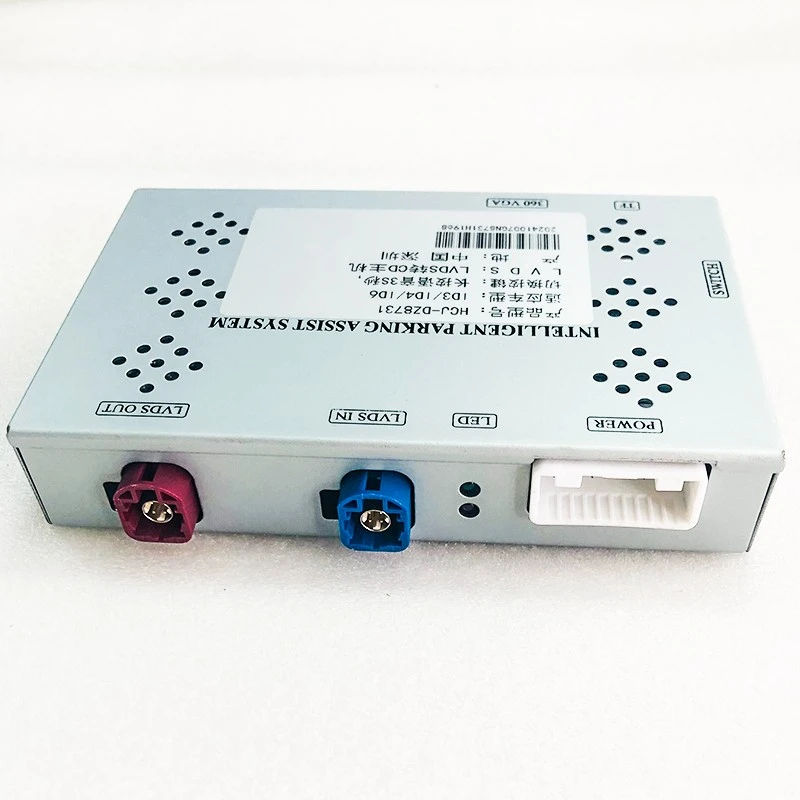
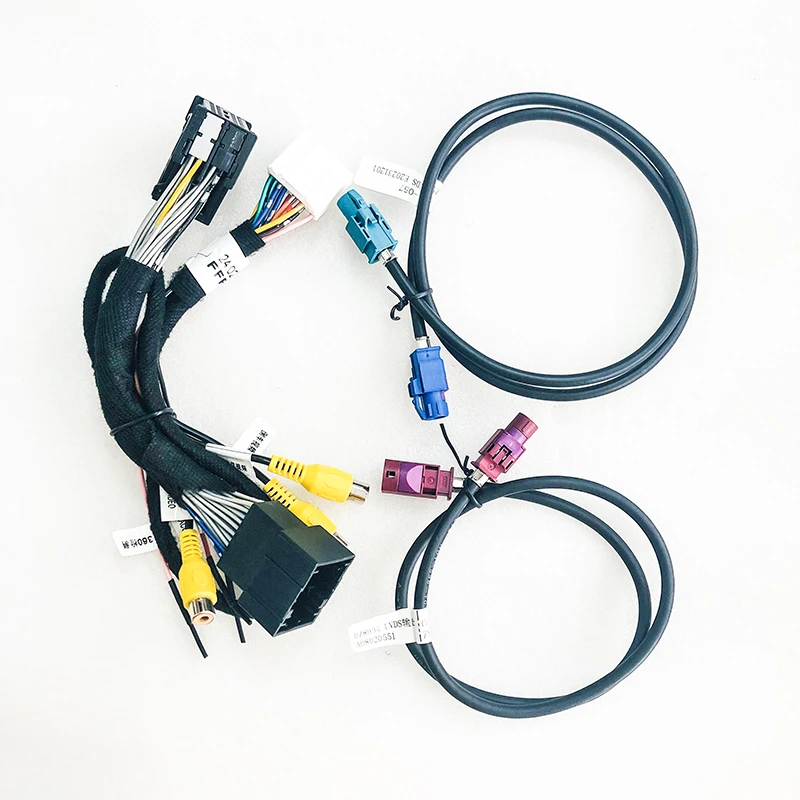
Step 4: Connect the Decoding Module to the Reverse Light Wiring
Once you've located the reverse light wiring, use your wire strippers to expose a small section of the wire. Then, connect the corresponding wires from the decoding module to the reverse light wiring. You can use crimp connectors or solder the wires together for a more secure connection. After connecting the wires, wrap them with electrical tape to prevent any short circuits.
Step 5: Mount the Decoding Module
Find a suitable location to mount the decoding module. It should be a place that is dry, away from any moving parts, and easily accessible for future maintenance. You can use screws or adhesive tape to secure the module in place.
Step 6: Connect the Camera to the Decoding Module
Now, it's time to connect the reverse camera to the decoding module. Most cameras come with a cable that can be easily plugged into the module. Make sure the connection is secure, and there are no loose wires.
Step 7: Route the Camera Cable
Route the camera cable from the decoding module to the location where you'll be installing the reverse camera. You'll need to run the cable through the vehicle, making sure it's hidden and out of the way of any sharp edges or moving parts. You may need to use cable clips or straps to keep the cable in place.
Step 8: Install the Reverse Camera
Choose a suitable location to install the reverse camera. The most common location is on the rear bumper, near the center of the vehicle. Drill a hole if necessary and mount the camera using the provided hardware. Make sure the camera is pointed in the right direction for a clear view when reversing.
Step 9: Test the System
Before you put everything back together, it's time to test the system. Turn on the ignition and shift the gear into reverse. Check if the reverse camera display on your dashboard or rear - view mirror is working properly. If there are any issues, double - check all the connections and make sure the wiring is correct.
Step 10: Reassemble the Vehicle
If the system is working correctly, reassemble any panels or trim that you removed earlier. Make sure all the screws are tightened, and everything is back in its proper place.
Tips and Tricks
- If you're not confident in your DIY skills, it's always a good idea to have a professional install the decoding module for you.
- Before making any connections, use a test light to make sure you're connecting to the correct wires. This will help prevent any damage to the module or your vehicle's electrical system.
- Keep all the packaging and instructions that came with the decoding module and camera. They can be useful for future reference.
Why Choose Our Volkswagen Reversing Camera Decoding Modules?
- Full Compatibility: Our modules are designed to be fully compatible with a wide range of Volkswagen models from 2016 - 2024. Whether you have an older model or a new - energy vehicle, we've got you covered.
- High - Quality Performance: We use the latest technology to ensure that our modules provide a clear and stable reverse camera display. You'll have a clear view of what's behind you, making reversing safer and easier.
- Easy Installation: As you can see from the steps above, installing our decoding modules is a relatively straightforward process. You don't need to be a professional mechanic to get it done.
If you're interested in purchasing our Volkswagen reversing camera decoding modules, I encourage you to reach out to us for a purchase consultation. We're here to answer any questions you may have and help you find the right module for your vehicle.
References
- Volkswagen vehicle owner's manual
- Decoding module installation guide


